 mygooberDownload for Windows
A desktop pet cat is a digital cat character displayed on a computer desktop. mygoober lets Windows users create a cat-shaped Goober from a cat photo with AI, choose realistic, 3D, or anime styling, and use idle, typing, petting, and dragging actions.
Start with the cat you want to recognize
A cat photo gives your desktop character a personal starting point. You may care about a familiar face, a particular coat pattern, or the outline of the cat's ears. Before generating, identify the features that make the subject recognizable to you. That helps you choose an image and review the result without assuming that AI generation will preserve every detail exactly.
Choose a photo you have the right to use. A picture of your own cat is a natural option, but the important step is selecting a clear view of the subject. If you are deciding between images, choose one that lets you see the features you care about, rather than choosing only because the background looks attractive.
Prepare a clear photo for a clearer starting point
Look at the face and the outline of the cat in the source image. As a practical preparation tip, avoid starting with an image where the features you want are hidden behind furniture, cropped out, or hard for you to distinguish. This is advice for choosing a useful source, not a guarantee of a particular generated result or a statement of technical upload requirements.
A photo with several animals can make your own choice of subject less clear. For a first attempt, choosing an image focused on one cat keeps the intention straightforward. Decide whether the result should evoke the cat's familiar appearance or reinterpret it in a playful style. The desktop pet from photo guide covers image choice as part of the broader photo workflow.
Compare the three cat style directions
Realistic
The realistic style is a direction to consider when you want a familiar-looking interpretation of your cat. Review the generated face, markings, and silhouette rather than relying only on the name of the style. A realistic direction does not establish exact likeness, and the result still needs your approval before you decide to keep that appearance.
3D
The 3D style offers another visual treatment for a pet image. It can suit someone who prefers a stylized character on a computer screen. The example below shows the kind of 3D cat illustration used on the mygoober website. Use it to understand the visual direction, not as proof that your own image will produce the same design.
Anime
The anime style is the third pet option. Choose it if that visual direction is the look you want for your Goober. As with the other styles, examine the actual output for the details that matter to you. The choice between realistic, 3D, and anime is a preference about appearance; it is not a ranking of generation quality.
A photo illustration and a 3D style illustration
These images come from the existing mygoober website assets. They illustrate a cat photo and a 3D character style. They are not presented as a verified customer's before-and-after result, and they do not demonstrate a guaranteed transformation of a particular uploaded image.
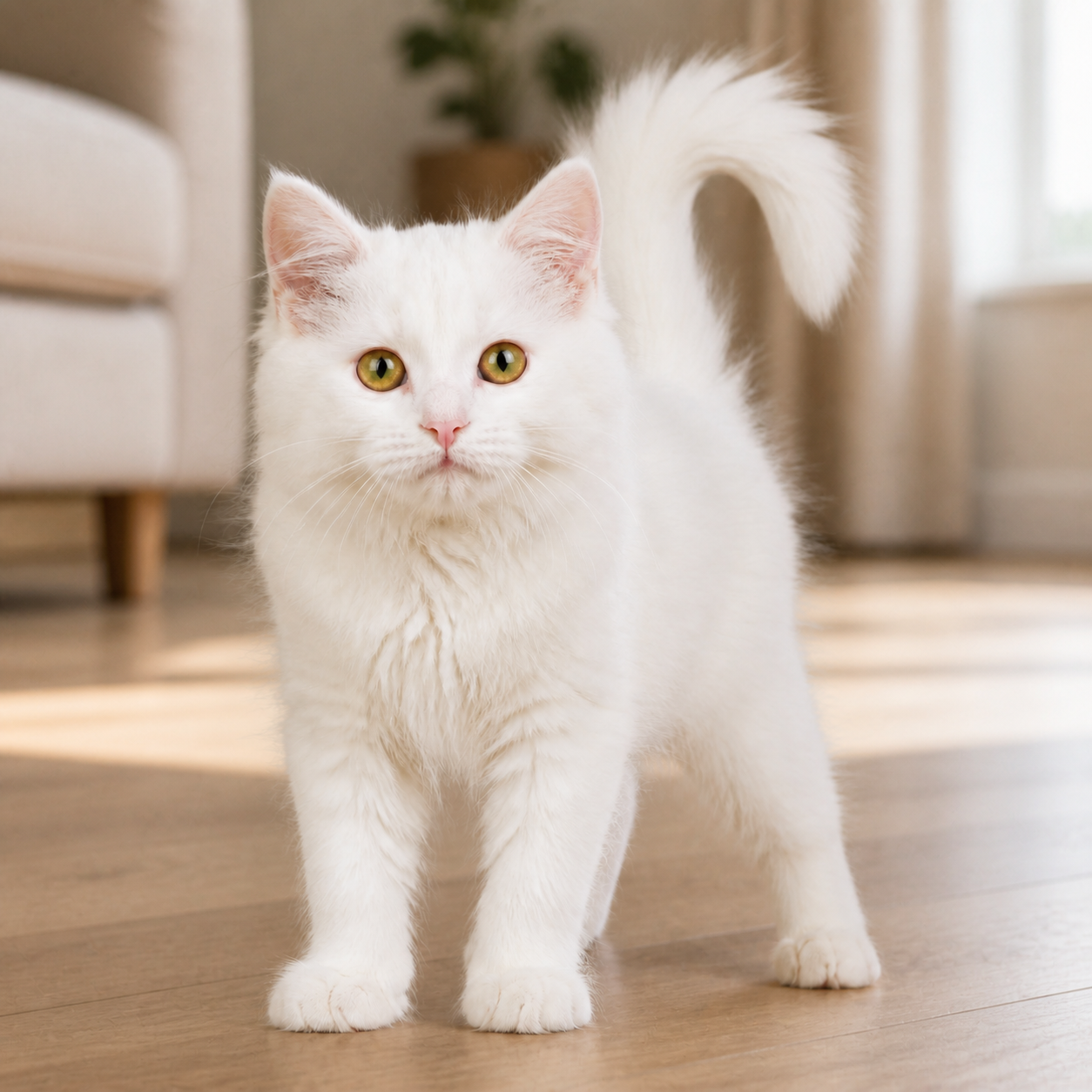
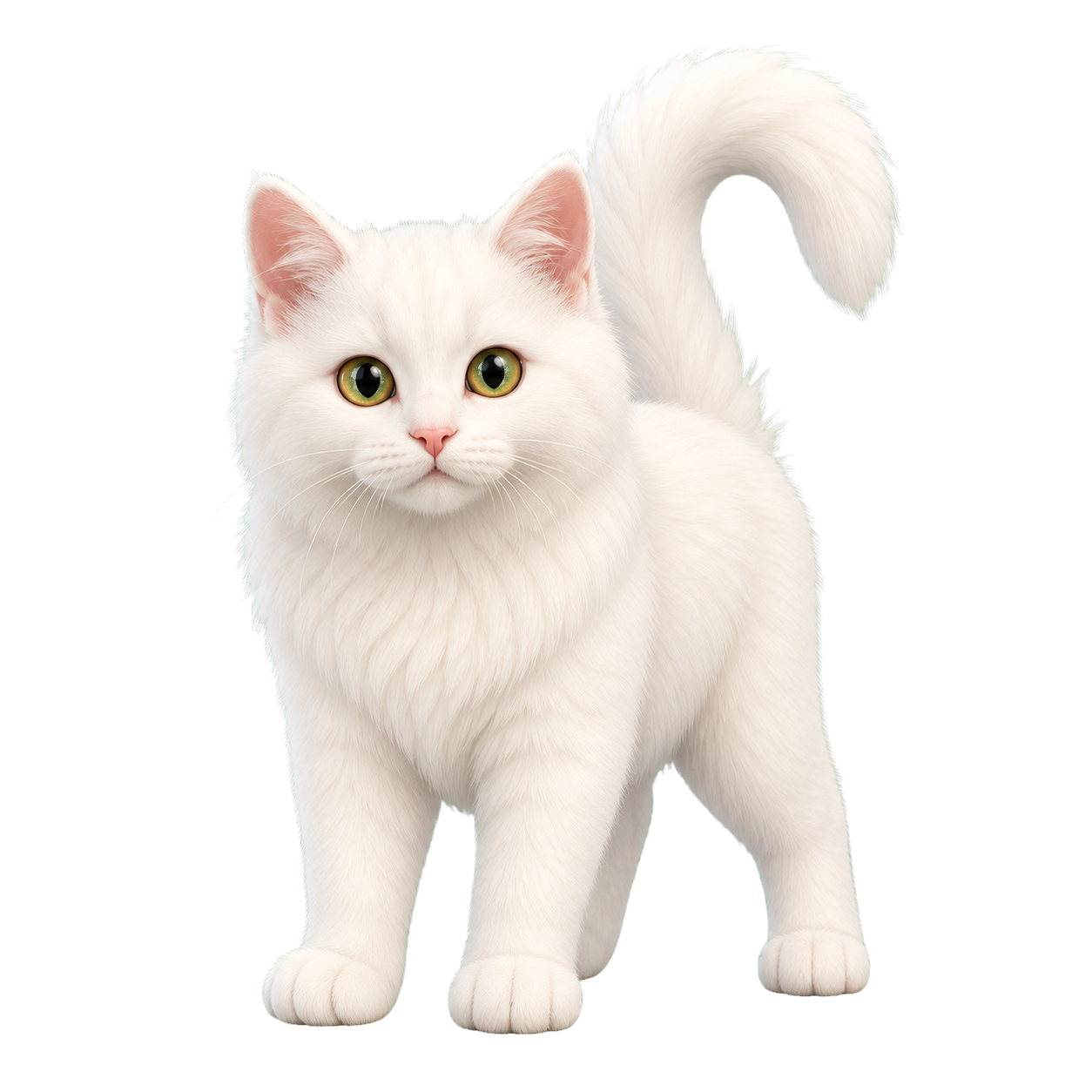
The useful comparison is between the visual starting point of a photographed animal and the design direction of a character illustration. Your own Goober should be evaluated on its own result. If specific markings or facial features are important to you, review them before confirming rather than treating an example as a promise.
Create the cat Goober in the Windows client
Download and open the mygoober Windows client. Upload the cat photo there, choose a pet style, and generate the appearance. The guide page itself does not have a working browser upload or generation service. The desktop pet generator guide explains the three main stages, and the custom desktop pet maker guide explains how to review a personal design.
Generation uses prepaid Coins. Check the current information in the client before adding Coins or generating. A confirmed image is locked, so review the cat's appearance before confirming. If you want another design after confirmation, create a new appearance. No free photo-generation allowance, Coin price, or number of attempts is promised on this page.
Enjoy the four supported desktop actions
The cat-shaped Goober uses mygoober's supported actions: idle, typing, petting, and dragging. The idle action provides the default state. Typing adds a visual response associated with typing, while petting and dragging provide two additional ways to interact with the character. These are desktop character actions, not a prediction of how your real cat would behave.
A cat design is one example of a photo-based character. mygoober also accepts other pet images and person images. Person images have a different style set: paper cutout, 3D chibi, and anime chibi. Learn more about the product's overall approach in the AI desktop pet guide.
Try the library and check device support
If you would like to explore the desktop experience before generating from a photo, mygoober has a free character library. Library access and photo-based generation are separate options. Browsing the available characters can help you decide what kind of visual presence you enjoy without assuming you must create a custom image first.
mygoober supports Windows 10 and Windows 11. macOS support is planned, with no confirmed date given here. Start with the currently supported Windows client and an image you want to use. A familiar subject and a deliberate style choice give you a simple starting point for creating a cat Goober.
Frequently asked questions
Can I turn a photo of my own cat into a desktop pet?
Yes. Upload a cat photo in the mygoober Windows client, choose realistic, 3D, or anime styling, and generate a Goober. Review the result before confirming it.
Will the Goober copy my cat's markings exactly?
Exact reproduction of markings or other features is not guaranteed. Choose a clear source image and review the generated appearance before confirming.
Are the cat examples actual customer results?
The images on this page are existing mygoober website illustrations of a cat photo and a 3D style. They are not claimed to be verified customer before-and-after results.
Can I generate my cat for free?
Photo-based generation uses prepaid Coins. A free character library is also available, but its availability does not promise free generation. Check the client for current costs.
Can I use a cat Goober on a Mac?
The currently supported systems are Windows 10 and Windows 11. macOS support is planned, and this page provides no confirmed release date.
Related guides
Download for Windows
Supports Windows 10 and Windows 11. Custom generation uses account Coins; characters in the free library can be chosen for free.